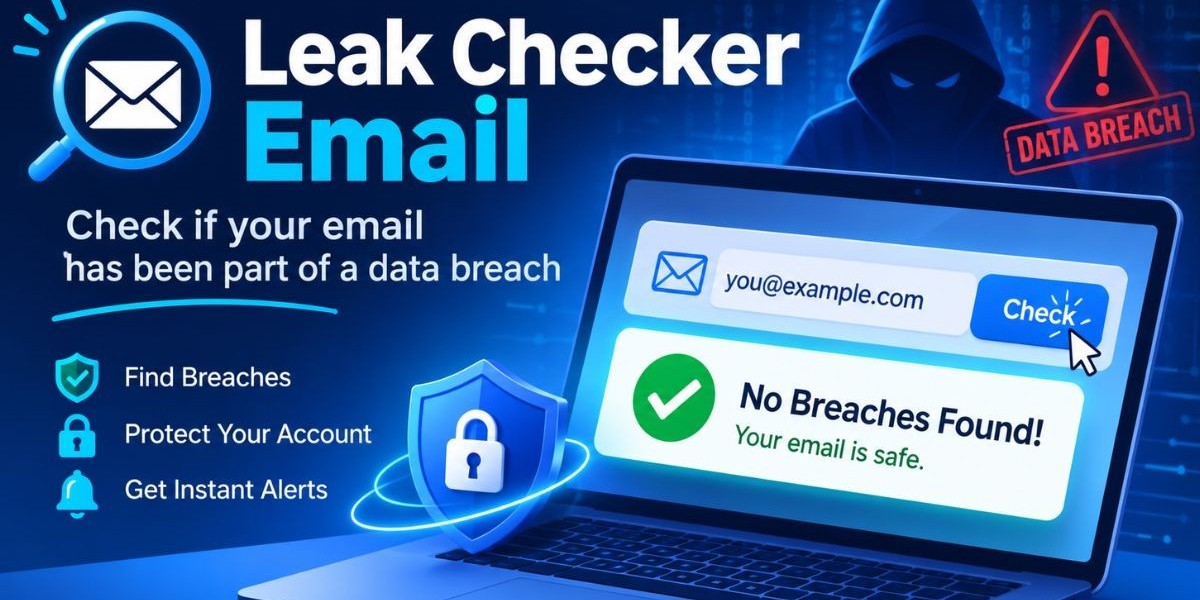

Every email address you use leaves a trail. It sits in sign-up forms, vendor portals, old forum accounts and shared inboxes. When any one of those services is breached, that address can end up in a dump that criminals trade for years. The question is not whether your address is out there somewhere. The question is whether it is tied to a leaked password that still works.An email breach check answers that question. It tells you whether an address has appeared in a known breach, an infostealer log, or a leaked credential dump. Using a free leak checker email tool takes a few seconds and the result tells you whether you need to rotate passwords, tighten access, or simply keep watching.
This guide explains how these checks work, how to run one step by step and what to do with the result. It also covers why security teams and MSSPs treat leaked credentials as a first-class risk, what to look for in a tool and where one-time checks stop being enough.
What Is an Email Breach Check?
An email breach check is a lookup that tests whether a specific email address appears in collections of leaked or stolen data. Those collections include public breaches, breach forum posts, combo lists and logs captured by infostealer malware. The goal is to learn if the address and possibly the credentials tied to it, are already exposed.
You will see the same idea called many things: email leak checker, email leak scanner, email breach lookup, or compromised email checker. The names differ, but the job is the same. You enter an address and get back a yes or no on exposure, often with details about where it showed up.
A few terms help here.
A data breach is an incident where a service loses user data to an attacker or through misconfiguration.
A credential dump is a file of leaked usernames and passwords, often posted or sold after a breach.
A combolist is a merged list of email and password pairs collected from many sources, used for automated login attempts.
Infostealer logs are records captured by malware that steals saved logins, browser data and session information from an infected device.
Leaked credentials are any login details that have become available outside their owner's control.
An email breach check does not tell you that someone is inside your account. It tells you the address has been exposed, which raises the odds of phishing, credential stuffing and account takeover. That is useful because exposure is something you can act on before an attacker does.
How an Email Breach Check Works
A leak checker email tool works by matching the address you enter against data sources that track exposed credentials. If it finds a match, it reports that the address was exposed. The better tools say where the exposure came from, so you can judge how serious it is.
The sources matter more than the interface. Most exposure data comes from four places.
Public breaches, where a company discloses an incident or the stolen data becomes widely available.
Breach forums, where actors post, sell, or trade stolen databases.
Combolist data, where credentials from many incidents are merged and recycled.
Infostealer logs, where malware has captured credentials straight from infected machines.
The Mispar tool searches breach forums, infostealer logs, combolist data and public breaches. That mix is important because each source tells a different story. A public breach usually points to a third-party service that lost data. An infostealer log points to an infected device, which is a different kind of problem and often a more urgent one.
The tool never shows the leaked password itself. That is a sensible design choice. It gives you what you need to respond, which is the fact of exposure, without turning the checker into a place where passwords are displayed. It is built to check, not to build a list and the address you enter is used only to run the check. For exact data handling, readers should refer to the privacy policy.
It also checks one email at a time. That fits quick, targeted use: verifying an account you own, or an employee address you are authorized to look at.
How to Check If an Email Has Been Breached
You can check whether an email was leaked in a few minutes. The process is simple, but the steps after the lookup are where the value is. Here is the full sequence.
Decide which address you are checking and confirm it is yours or one you are authorized to monitor.
Open a free leak checker email page that does not require signup, so you can run it without creating another account.
Enter the address and run the check.
Read the result. A clean result means no match was found in the sources searched. A match means the address has been exposed somewhere.
If it matched, move straight to your response steps, covered in the next section.
Repeat for other addresses you own or manage, one at a time.
A few notes on step one. The tool does not require proof of ownership, but it should be used responsibly. That means your own accounts, or accounts you are authorized to monitor, such as employee emails at a company you manage. Checking an address you have no right to look at is a poor idea, even if the tool lets you do it.
A clean result also deserves some caution. No tool can see everything. A clean result means nothing was found in the sources searched at that moment, not that the address can never be exposed. Treat it as a snapshot and plan to check again.
For security teams, this is where one-time checks hit their limit. Mispar's Live Search lets a team check any email, domain, or username on demand and the Watch List catches new leaks automatically after that. A free single check is a good starting point and ongoing coverage is what closes the gap between checks.
What to Do If an Email Shows Up in a Breach
If an email shows up in a breach, change the password on that account first, then change it anywhere else it was reused. Turn on multi-factor authentication, review recent account activity and watch for phishing that references the service involved. Speed matters because exposed credentials get tested fast.
Work through the response in this order.
Change the password on the affected account. Use a new, unique password, not a small variation of the old one.
Change the password everywhere it was reused. Password reuse is what turns one breach into many compromised accounts.
Enable multi-factor authentication on the account and on other important services such as email, cloud storage and finance.
Review sign-in history and connected devices and log out sessions you do not recognize.
Check mail rules and forwarding settings. Attackers who reach a mailbox often add forwarding to keep watching it.
Be careful with unexpected messages. Exposed addresses are common targets for phishing built around the breached service.
If the exposure came from an infostealer log, treat the device as suspect. Scan or reimage it before you change passwords, or the new ones may be captured too.
That last point is easy to miss. A breach at a third-party service means the data left that service. An infostealer hit means malware may still be running on a machine you use. Changing a password from an infected device does not fix the root cause.
For organizations, add a few more steps. Record the exposure, find out whether the affected account has privileged access and check whether the same credentials are accepted on any business system. If the address belongs to an employee, tell them what happened and what to do, without blame. People report problems faster when they are not afraid of the reaction.
Credential Stuffing Explained
Credential stuffing is an attack where criminals take leaked username and password pairs and try them automatically against many other services. It works because people reuse passwords. One breach at a small service can lead to takeover of a corporate account if the same password was used in both places.
OWASP, the open application security community, describes credential stuffing as a distinct and common automated threat and its guidance is a useful reference for defenders. The attack does not need to guess anything. It only needs lists of real credentials and the patience to test them at scale.
This is why combo lists matter. They are built to feed credential stuffing tools. A combo list is not a single breach. It is a merged and cleaned set of credentials from many sources, arranged so that they can be thrown at login pages in bulk.
Checking whether an email appears in breach data is one of the earliest signals you can get that an address might be a target. It will not stop credential stuffing by itself. It does tell you which accounts need attention first.
Why Security Teams and MSSPs Need Email Breach Checks
Security teams and MSSPs need email breach checks because leaked credentials are one of the most direct paths into a business. An attacker with a valid login does not need an exploit. They sign in. Knowing which addresses are exposed lets a team fix access before it is abused.
Industry breach reports have repeatedly listed stolen credentials among the leading ways attackers gain initial access, which is why identity exposure sits near the top of most threat models. The exact figures change by report and year, so it is best to cite the current edition of a report you trust rather than a remembered number.
For an MSSP or MDR provider, the case is still stronger.
Clients rarely know which of their addresses are exposed and many will not ask until after an incident.
Showing a client that specific accounts are already in leak data turns an abstract risk into a concrete one.
A fast check is a useful part of onboarding, reviews and incident triage.
Findings feed straight into actions such as forced password resets, MFA rollout and device investigation.
Employee addresses are the usual focus. Work emails get used to register for outside services and those services get breached. An employee address in a leak does not mean the company was breached, but it does mean the company's identity perimeter now has a weak spot.
This is also where dark web monitoring and OSINT overlap. Checking a single address is a small, targeted piece of OSINT. Wider dark web monitoring watches many addresses, domains and usernames over time. The two work together and a quick check often starts the larger conversation.
Common Mistakes When Checking for Leaked Emails
Most problems with email breach checks come from how people use the result, not from the lookup itself. These are the mistakes that show up most often.
Treating a clean result as permanent. New breaches and new log dumps appear all the time, so a clean check today says little about next month.
Changing only one password. If the old password was reused, every account that shares it is still at risk.
Skipping device checks after an infostealer hit. New passwords typed on an infected machine can be captured as well.
Ignoring the email account itself. A mailbox is the reset point for most other accounts, so it deserves the strongest protection.
Relying on MFA alone. MFA blocks many attacks, but stolen session data from infostealers can sometimes let attackers bypass a login prompt.
Checking addresses without authorization. Look only at accounts you own or are permitted to monitor.
Stopping at the check. A result with no follow-up action changes nothing.
None of these are hard to avoid. They mostly come from treating the check as the finish line when it is really the start.
Responsible Use and Authorization
A free email breach check is easy to run, which makes responsible use a real topic. The Mispar tool does not require proof of ownership, but the page asks that it be used for your own accounts or accounts you are authorized to monitor. A company checking employee emails it manages is a fair example.
There are good reasons for that line. Looking up someone else's address without permission can expose private information about their accounts and habits. It can also be used to pick targets for phishing. A tool built to check, not to build a list, helps limit that risk, but the responsibility still sits with the person running the check.
If you are an MSSP, make authorization part of your process. Get written scope from the client and record which addresses and domains you are allowed to check. It protects the client and it protects you.
Key Features to Look For in an Email Leak Checker
Not every email leak checker is equal. A few features separate a useful one from a shallow one and most of them can be judged from the tool page itself.
Source coverage. Look for a tool that searches more than one kind of source, including public breaches, breach forums, combolist data and infostealer logs.
No password display. A tool that never shows the leaked password reduces the chance of the checker itself becoming a risk.
Clear data handling. The tool should explain what happens to the address you enter and point to a privacy policy.
Low friction. A free check with no signup lets you act right away without adding yet another account.
Clear purpose. A checker that is built to check, not to build a list, is easier to trust.
A path to ongoing monitoring. A one-time check is a snapshot, so it helps when the same platform offers on-demand searches and automatic watching.
Honest limits. A good tool does not claim it sees everything. Be wary of any checker that promises complete coverage.
Also consider what the tool does not do. A single-address checker is not a bulk scanner and it is not a replacement for continuous monitoring. Knowing that going in saves you from mismatched expectations.
One-Time Check vs. Continuous Monitoring
A one-time email breach check tells you where an address stands today. Continuous monitoring tells you when that changes. Both have a place and the right choice depends on how many addresses you manage and how quickly you need to know about new exposure.
For an individual with a few accounts, a periodic free check is often enough. For a company with hundreds of mailboxes, a manual check cannot keep pace. New leaks appear between checks and nobody is looking when they do.
Here is how the main approaches compare.
Approach | Best for | Strength | Limitation |
Free single email check | Individuals and quick spot checks | Fast, simple, no signup needed on the Mispar tool | Checks one address at a time and shows only a snapshot |
On-demand search across email, domain, or username | Security teams investigating a specific concern | Flexible and fits incident triage | Needs someone to run it each time |
Automatic watching of saved assets | Ongoing coverage for organizations | Catches new leaks after the initial check | Needs setup and a platform behind it |
Manual OSINT research | Analysts who want full control | Can reach niche sources | Slow, inconsistent and hard to repeat |
Password manager breach alerts | Individuals protecting personal logins | Built into a tool people already use | Limited to the accounts stored in that manager |
The takeaway is that these are not rivals. A free check is a good way in, on-demand search covers investigations and automatic watching covers the time between them.
Free vs. Paid Email Breach Checkers
A free email breach checker is enough for a quick answer about one address. A paid platform makes sense when you need coverage across many addresses, repeated checks, or integration into a security workflow. The right pick depends on scale, not on a rule that free is worse.
Free tools are good for individuals, small teams and anyone who wants a fast look before deciding what to do. They also work as a low-pressure way to see how breach data is reported. The Mispar tool is free with no signup, which keeps that first step easy.
Paid platforms tend to matter once the work becomes ongoing. If you are responsible for many people or many clients, you want continuous monitoring, a record of findings and a way to act on them. Prices are not quoted here, since they change and vary by vendor. Check each vendor's current pricing page before comparing.
Whatever you choose, ask the same questions. Where does the data come from, what happens to the address you enter and what does the tool actually promise? A clear answer to those three tells you more than a feature list.
Interesting Facts and Key Stats
These are verified points drawn from recognized public sources, described without exact figures so they stay accurate over time.
OWASP recognizes credential stuffing as a distinct automated threat, where leaked username and password pairs are tried against other services at scale.
NIST password guidance recommends screening new passwords against lists of known compromised passwords instead of relying only on complexity rules.
NIST guidance also advises against forcing frequent password changes with no sign of compromise and favors a change when there is evidence a password has been exposed.
Industry breach reports, including the widely cited annual studies on data breaches, have repeatedly named stolen credentials among the leading ways attackers get in.
Infostealer malware is designed to capture saved logins, browser data and session information from infected devices, which is why those logs are a distinct source of leaked credentials.
Password reuse is the main reason one breach spreads. Security research publications consistently identify it as a key driver of account takeover.
For exact current numbers, go to the latest edition of each report or guidance document rather than relying on a figure from memory.
Conclusion
An email breach check is one of the quickest ways to learn whether an address has been exposed. It looks across public breaches, breach forums, combolist data and infostealer logs and it gives you a clear starting point for action. The check itself takes seconds. What matters is what you do afterward: reset passwords, remove reuse, turn on multi-factor authentication and inspect devices when infostealers are involved.For individuals, a free check now and then is a smart habit. For security teams and MSSPs, a single check is just the opening move and ongoing coverage is what keeps exposure from piling up unnoticed. To go beyond one-off lookups, explore what Mispar offers for on-demand searching and automatic watching of leaks.
Frequently Asked Questions (FAQs)
How do I check if my email has been in a data breach?
Enter your address into a free email breach check tool and review the result. If it matches a known breach, infostealer log, or credential dump, change the affected password, fix any reuse and turn on multi-factor authentication.
Is a free email breach check safe?
It can be, if the tool explains what it does with the address you enter and points to a privacy policy. The Mispar tool uses the address only to run the check and never shows the leaked password itself. Always read the privacy policy for exact data handling.
What should I do if my email was leaked?
Change the password on the affected account and on any account that shared it. Turn on multi-factor authentication, review recent sign-ins and mail forwarding rules and watch for phishing. If an infostealer log was the source, check the device first.
Can I check someone else's email?
The Mispar tool does not require proof of ownership, but it should be used responsibly. Check only your own accounts or accounts you are authorized to monitor, such as employee emails at a company you manage.
What is credential stuffing?
Credential stuffing is an automated attack that tries leaked username and password pairs against many services. It works because people reuse passwords. OWASP documents it as a common automated threat against login systems.
Does a leaked email mean my password was stolen?
Not always. An exposed address means it appeared in leaked data, but the password may or may not have been included. Treat any exposure seriously and change the password anyway, especially if you reused it elsewhere.